


Anteprima


- Steam
- Tutto il mondo
- non disponibile
- 1 gen 2019
SimpleMovie
Steam
Tutto il mondo
Chiave digitale
2,29 €
−18 %
≈ 2,52 $
 0,000039 BTC
 2,52 USDT
0,000039 BTC
2,52 USDT
Chiave per PC
- Chiave rivelata nella pagina dell'ordine non appena il pagamento è confermato
- Paga in BTC, USDT, USDC, ETH, SOL e altre
- Sostituita o rimborsata se non funziona
Informazioni sul gioco
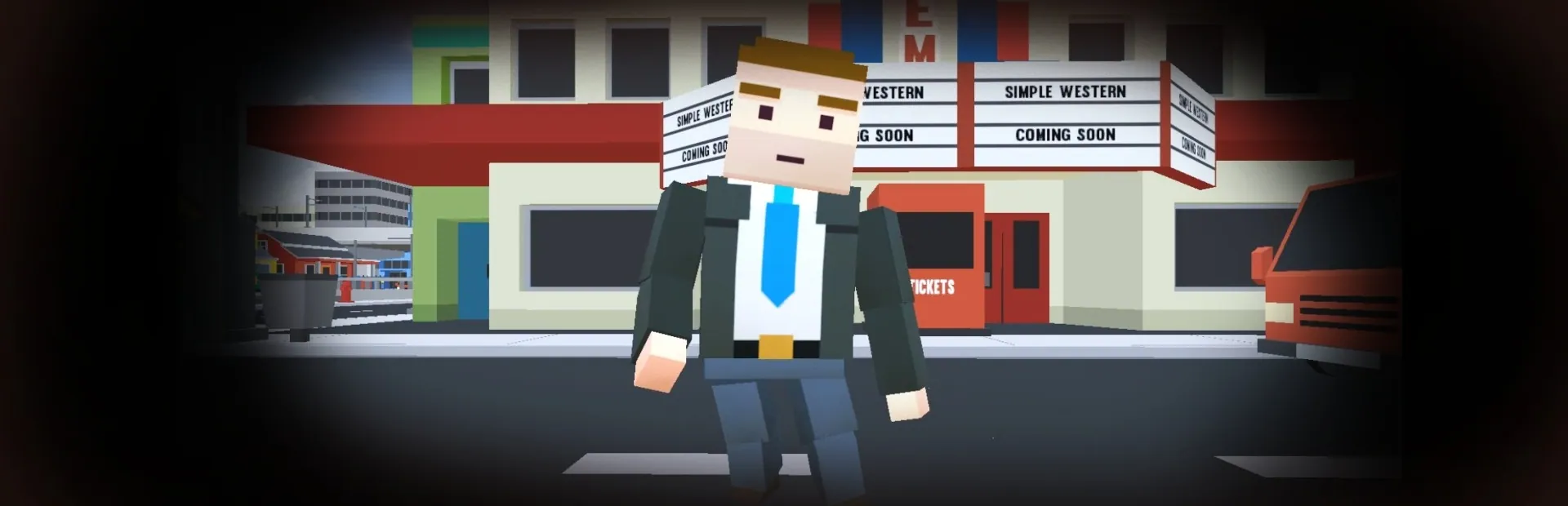
Simple Movie is a simulation, crafting and sand box game. The goal is to create a short film. The player is the film's writer, producer and director. The game creates a video with fixed background music and subtitles.
The player is at once the screenwriter and director of a film. As screenwriter, he writes the story. As director, he has the principal role in choosing the cast, controlling the production design and managing the creative aspects of filmmaking.
Simple Movie is a Non Player Character animation (NPC-mation) tool where:
NPC-mation is an animated filmmaking technique in which NPC are manipulated by a movie program in small increments between individual screenshots (frames) so they exhibit independent motion when the frames series is played back as a sequence. NPCs with movable joints are used for their ease of repositioning.
The movie program contains scenes, with each scene having one or more lines.
A line has an actor or an item, animation (actors only), a start and end locations (can be the same), camera, speed (or duration) and subtitles.
NOTE: The output video depends on the installed video codec. The game does not include any video codec (except uncompressed video).
Giocatore singoloCondivisione familiare
Scheda tecnica
- NPCWARE
- NPCWARE
- 1 gennaio 2019
- Indies, Simulazione
- 1 lingua
- Steam
- Steam
- Tutto il mondo
Lingue nel dettaglio
| Interfaccia | Audio | Sottotitoli | |
|---|---|---|---|
| English | · | · |
Requisiti di sistema
| Minimo | Consigliati | |
|---|---|---|
| OS * | Windows 7, Windows 8, Windows 10 | · |
| Processore | 1.5 GHz | 3 GHz |
| Memoria | 4 GB RAM | 8 GB RAM |
| Scheda video | integrated graphics | GPU |
| DirectX | Version 10 | Version 10 |
| Memoria di massa | 5 GB available space | 10 GB available space |
| Note aggiuntive | video codec | video codec |
| Sistema operativo | · | Windows 10 |
Attivazione
Attiva su Steam
- 1Installa Steam e accedi
- 2Menu Giochi › Attiva un prodotto su Steam
- 3Incolla la chiave rivelata nella pagina dell'ordine
- 4Il gioco appare nella tua libreria: scaricalo
Utilizzabile in tutti i paesi.
Non usare una VPN durante l'attivazione.
Guida dettagliata
Recensioni Steam
Recensioni dei clienti Crypto2Key
Prodotti simili
Vedi tutto →


2,29 €
0,000039 BTC