

Preview


- Steam
- Worldwide
- interface, subtitles
- 13 Jun 2025
Backpack Battles
Steam
Worldwide
Digital key
€8.49
−15 %
≈ $9.31
 0.000145 BTC
 9.32 USDT
0.000145 BTC
9.32 USDT
PC key
- Key sent by email and shown on your order page as soon as the payment is confirmed
- Pay in Bitcoin, USDT, USDC and more
- Replaced or refunded if it does not work
About the game
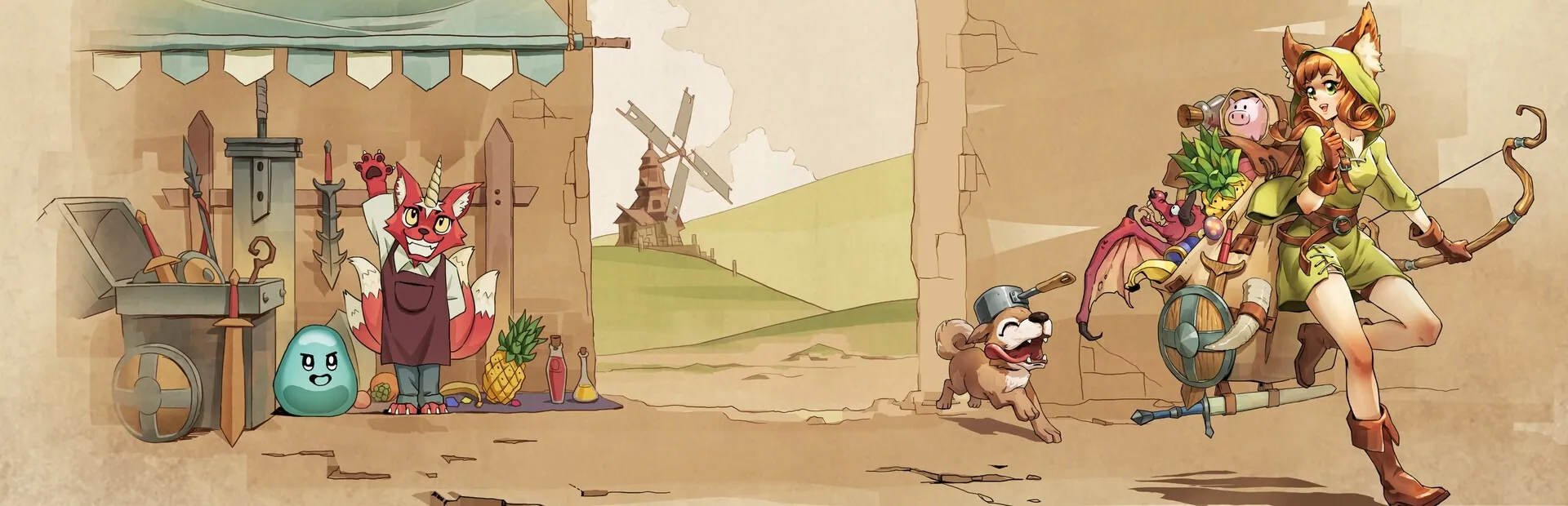
Prepare your backpack!
Buy rare and legendary items and organize them to make powerful builds.
Then battle other players with it!
In Backpack Battles, you fight with your backpack full of items. It matters what you buy, and especially how you place it! The smarter you place your items, the stronger you will be!
Items come in different shapes, sizes, prices, and rarities. Combine them into even stronger equipment.
Brew a powerful potion, craft a legendary weapon, or hatch a dragon friend!
There are over 500 different items to choose from!
Face the builds of other players in different game modes:
Unranked: Low pressure without timers
Ranked: Gain points against equal opponents, but still at your own pace
Custom rules: Play unranked but change gold, maximum health, and more
Lobbies: Match friends or streamers live with a timer!
See what they came up with, and counter them.
Pick one of 7 classes depending on your play style, each of them with 5 subclasses!
Do you want heavy crits or poison damage over time? Or squirrels?
Online PvPSteam AchievementsSteam Trading CardsSteam CloudFamily SharingXBOX Controller SupportDualShock Controller SupportDualSense Controller Support
Product details
- PlayWithFurcifer
- IndieArk, PlayWithFurcifer, Shochiku (Japan)
- 13 June 2025
- Strategy
- 10 languages
- Steam
- Steam
- Worldwide
Languages in detail
| Interface | Audio | Subtitles | |
|---|---|---|---|
| English | · | ||
| French | · | ||
| German | · | ||
| Japanese | · | ||
| Korean | · | ||
| Portuguese (Brazil) | · | ||
| Russian | · | ||
| Chinese (Simplified) | · | ||
| Spanish (Latin America) | · | ||
| Chinese (Traditional) | · |
System requirements
| Minimum | |
|---|---|
| OS | Windows 10 |
| Processor | Dual Core 2 GHz |
| Memory | 1 GB RAM |
| Graphics | GTX 1060 3G |
| Storage | 300 MB available space |
| Minimum | |
|---|---|
| OS | Fedora 25, Ubuntu 16.04, SteamOS, Mint 18 |
| Memory | 1 GB RAM |
| Storage | 300 MB available space |
Activation
Activate on Steam
- 1Install Steam and log in
- 2Games menu › Activate a product on Steam
- 3Paste the key from your email or order page
- 4The game appears in your library: download it
Usable in every country.
Do not use a VPN when activating.
Detailed guide
Steam reviews
Very positive
Crypto2Key customer reviews
Similar products
See all →
€8.49
0.000145 BTC