


Preview


- Steam
- Europe
- interface, subtitles
- 31 May 2023
Doomblade
Steam
Europe
Digital key
€3.99
−17 %
≈ $4.40
 0.000064 BTC
 4.40 USDT
0.000064 BTC
4.40 USDT
PC key
- Key sent by email and shown on your order page as soon as the payment is confirmed
- Pay in Bitcoin, USDT, USDC and more
- Replaced or refunded if it does not work
About the game
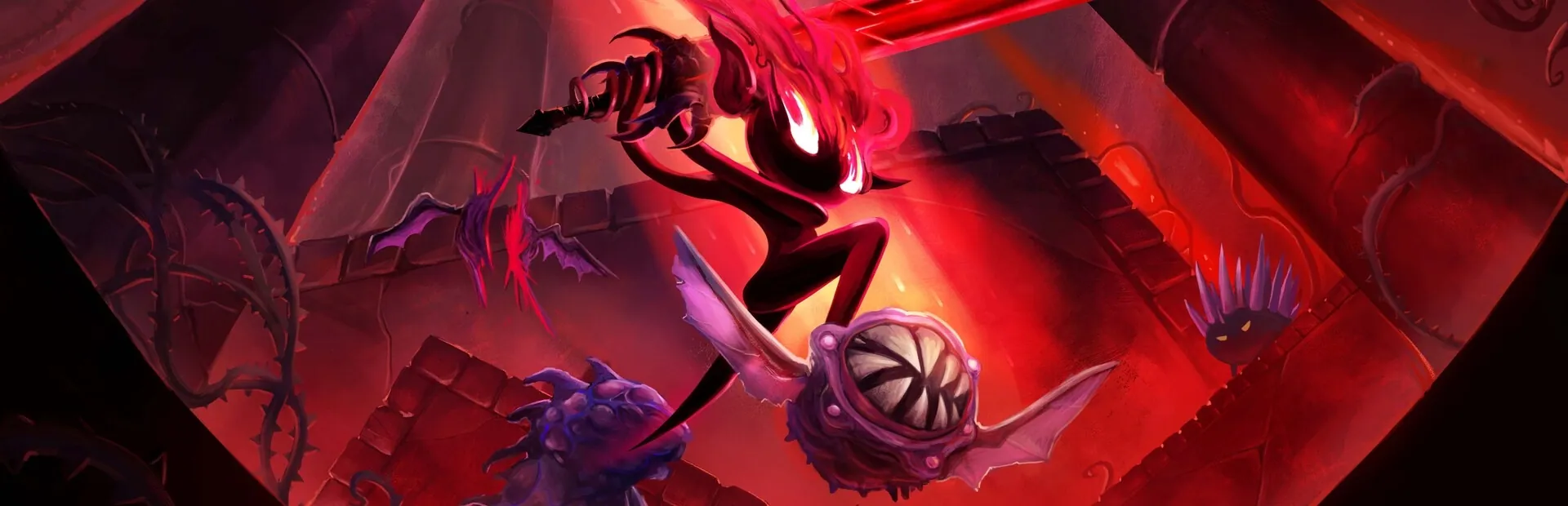
Lured out of her solitude, Gloom Girl discovers a chamber containing DOOMBLADE: a sentient weapon, trapped and bound for eons. “Doom and Gloom” join forces and begin a quest to regain the blade’s powers and exact vengeance on its captors.
Wielding DOOMBLADE, Gloom Girl can ride through the air to attack enemies. Target monsters to attack them directly, and slay them with DOOMBLADE’s wrath!
The blade hungers for vengeance on the Dread Lords, who bound it in chains and stripped it of its powers. But first, it must regain its strength. Search for demonic shrines, where DOOMBLADE’s powers were hidden and stored by the long dead Gloomfolk, awaiting its return. Then use Doom Drop, Wicked Wind, and the Nightmare Onion to teach your enemies fear.
From the abandoned halls of Gloomhaunt, into the New Wilderwood forest full of untrusting tribesmen, through the Molded Mines with their hedonistic shroom people, and into a technological hellscape known as the Power Sector. Gloom Girl must fight her way through these interconnecting worlds and destroy the monsters within as she hunts down the Dread Lords who imprisoned DOOMBLADE.
Single-playerSteam AchievementsSteam Trading CardsSteam CloudFamily SharingXBOX Controller Support
Product details
- Muro Studios
- Iceberg Interactive
- 31 May 2023
- Action, Adventure, Indies
- 8 languages
- Steam
- Steam
- Europe
Languages in detail
| Interface | Audio | Subtitles | |
|---|---|---|---|
| English | |||
| Dutch | · | ||
| French | · | ||
| German | · | ||
| Portuguese (Brazil) | · | ||
| Russian | · | ||
| Chinese (Simplified) | · | ||
| Spanish | · |
System requirements
| Minimum | Recommended | |
|---|---|---|
| OS | Windows 10 | · |
| Processor | Intel Core i5 @ 2.0 GHz | · |
| Memory | 8 GB RAM | · |
| Graphics | GeForce GTX 1050 or AMD Radeon RX Vega 56 4 GB | · |
| Storage | 12 GB available space | · |
| Additional Notes | 16:9 resolution | SSD hard drive |
Activation
Activate on Steam
- 1Install Steam and log in
- 2Games menu › Activate a product on Steam
- 3Paste the key from your email or order page
- 4The game appears in your library: download it
Usable in the Europe region (59 countries).
Do not use a VPN when activating.
Detailed guide
Steam reviews
Very positive
Crypto2Key customer reviews
Similar products
See all →


€3.99
0.000064 BTC